
the pantry
The Pantry is a confidential food service supporting MacEwan students with access to a hamper of non-perishable food and hygiene items up to twice per month. We offer a range of items to support dietary needs, including Halal, vegan, vegetarian, and allergy-based options. Available to students with an active student ID.
How do you sign up for The Pantry?
Students can begin the process by visiting The Pantry website and clicking on the registration form. This form asks for information about yourself and your current situation and is used for demographic purposes. Once your student status has been confirmed and approved, The Pantry will send a link providing you with the information to log into your account on The Pantry website. Once you have logged in you can begin making a hamper!
Where is The Pantry Located?
The Pantry is a part of the Support Hub located in the SAMU building on the second floor by the gender-neutral washrooms (SA-223).
Title
support hub hours
Fall and Winter Terms: MON – FRI: 9:00 AM – 4:30 PM
Spring and Summer Terms: MON – FRI: 11:00 AM – 3:00 PM
recipes from the pantry
Explore easy recipes using items from The Pantry or submit your own recipe!
Title
Title
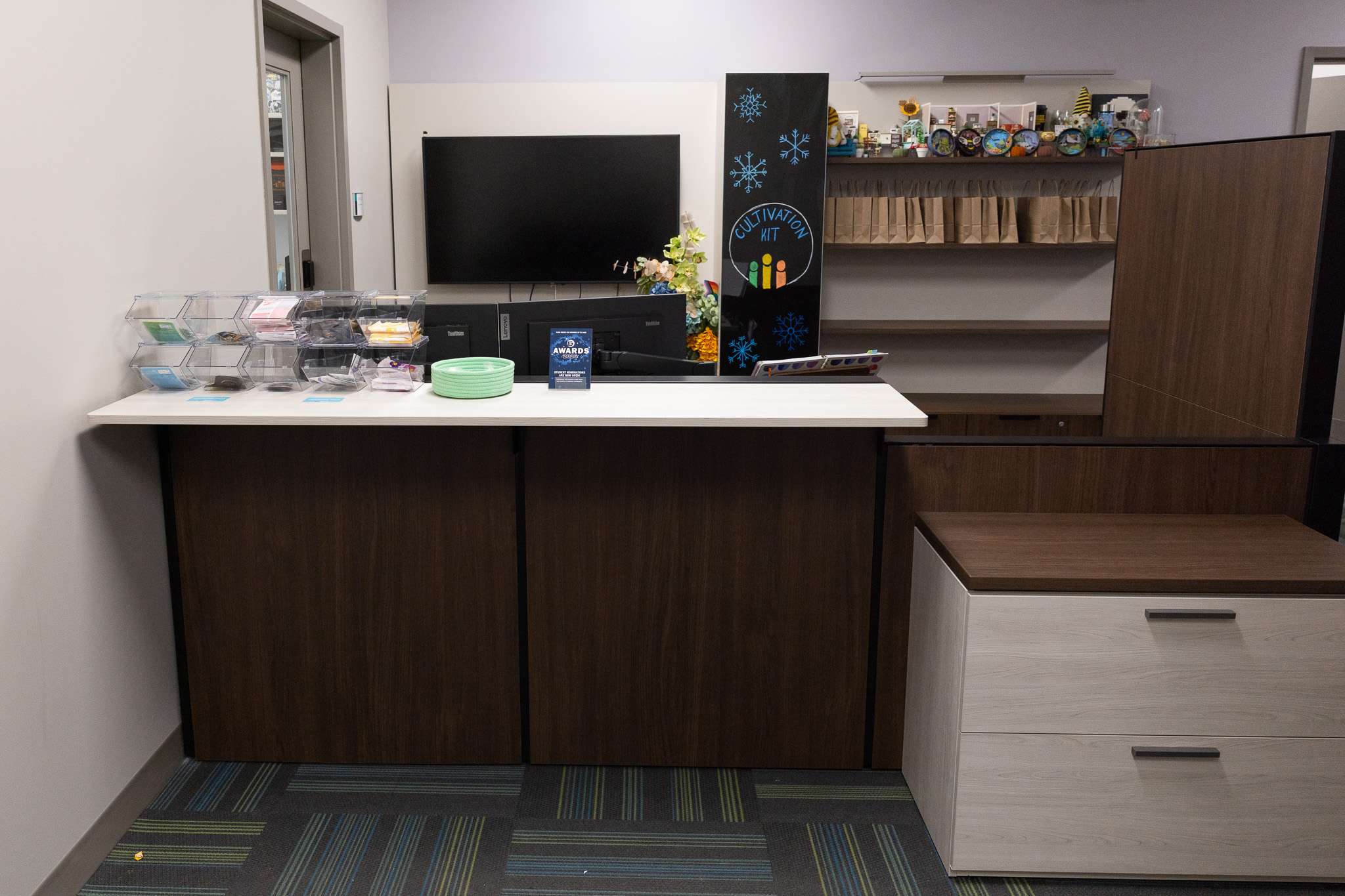
In-Person Pick Ups
Open Monday to Friday, 9:00 AM – 4:30 PM
You must show your Student ID when picking up your hamper.
Hampers are available for pickup at SA-223 (The Support Hub). The Support Hub is located down the hall by the vending machines on the second floor of the SAMU building.
If you do not pick up your hamper within 3 business days of receiving your “Hamper Ready for Pick Up” email, your hamper will be cancelled.
If you cannot pick up your hamper within the 3-business-day window, please contact us immediately.
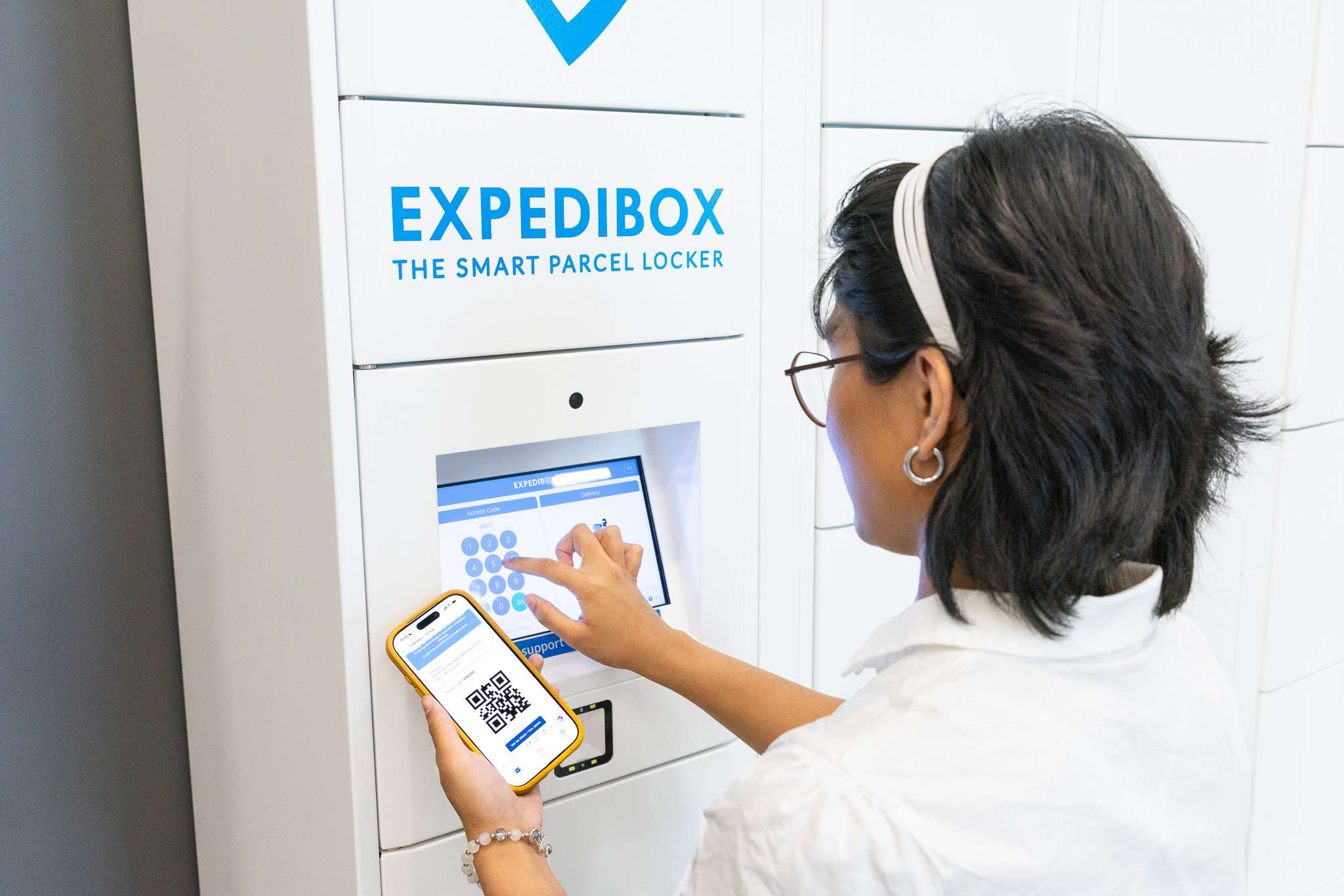
Locker Pick Ups
Available during campus open hours
Hampers are available for pickup on the first floor of SAMU, across from the Benefits Desk. Students will receive an email from the locker platform containing a code. Enter the code to unlock the locker and retrieve your hamper.
Students must bring a bag to collect the items in their hamper. The cardboard box must be left in the locker. If you do not pick up your hamper within 3 business days of receiving your “Hamper Ready for Pick Up” email, your hamper will be cancelled.
If you cannot pick up your hamper within the 3-business-day window, please contact us immediately.
The Pantry Feedback & Suggestion Form
Share your feedback or item suggestions with us through the The Pantry Feedback Form.
Title
Do you have Questions?
Check out our FAQ’s
If you have more questions about The Pantry contact the The Pantry Assistant at safoodsupport@macewan.ca
WHO IS THIS SERVICE FOR?
The SAMU Pantry is for MacEwan University Students who pay SAMU fees during the current semester. As a SAMU member, you are eligible to receive a hamper from The Pantry up to twice per month.
DO I HAVE TO PAY FOR THIS SERVICE?
For eligible MacEwan students, there is no cost to you to pick up a hamper. We unfortunately can not offer support to other students or community members.
DO I NEED TO USE MY STUDENT EMAIL?
Yes. If you do not use your MacEwan student email, you are not eligible for a hamper, and your request will be cancelled.
WHAT DO YOU DO WITH MY PERSONAL INFORMATION?
All personal information is confidential. The demographic information is recorded in metrics to better serve the students of MacEwan University.
WHY ARE THERE SO MANY QUESTIONS TO REGISTER?
These are the required questions for our systems and our demographic information. This is in line with all other food support services within Canada. The questions themselves are required to answer – however there is the option within the question to opt. out of answering.
HOW DO LOCKER PICKUPS WORK?
Locker pickups are one of the options students can choose when requesting their hamper. If a student requests this pick-up option, the volunteer will prepare the request in a cardboard box and place it in the lockers on the first floor of the SAMU building. Students using this pickup must bring a bag for their hamper request.
Once the hamper has been built, students will receive an email from The Pantry stating that it’s ready, along with an email from the locker platform, Expedibox. The email from Expedibox will contain a code to enter the lockers and receive your hamper.
Students will have the same amount of time to collect a hamper as in-person pickups. If a student does not pick up in the allotted time, the hamper will be cancelled.
I HAVE REGISTERED FOR AN ACCOUNT. WHY AM I STILL UNABLE TO SIGN IN?
In our system, we need to approve all new users before they can sign in to their accounts. This is to prevent misuse of the service. Please wait up to 4-5 business days for account approvals. You will receive your status through the email you provided. During our high-volume intake months, it can take up to 6-7 business days.
ARE THERE MAXIMUMS OF WHAT I CAN PUT IN MY HAMPER?
Yes. To be able to serve all MacEwan students, we have limits on all items. There are limits set up per item within the product description. Please do not select more than what is listed as the limit. You will only receive the limit, anything over the limit will be removed.
There is also a one-hamper limit which is a little more difficult to judge when ordering online. Volunteers are trained with this in mind and will remove items that are requested in multiples where possible if the order can not fit in one bag or bin.
ARE THERE ANY FRESH FOOD OPTIONS?
Currently, we are unable to supply students with perishable items such as meat, eggs, or fresh fruit and vegetables. Please see the SAMU website for our Food Initiative events that occur during the Fall and Winter semesters.
WHERE CAN I PICK UP MY HAMPER?
Once you have requested your hamper and received an email that it is ready for pickup, you can pick it up at the Support Hub (SA-223; the door is down the hall beside the vending machines on the second floor of the SAMU building, between buildings 8 and 9).
If you have requested a locker pickup, you will receive the ready for pickup email, along with a pickup code email from Expedibox. The lockers are located on the first floor of the SAMU building, across from the benefits desk. Lockers are accessible anytime the university is opened.
DO I NEED MY STUDENT ID TO PICK UP MY HAMPER?
Yes. To pick up your hamper, you must show your Student ID card to the front desk in the Support Hub (SA-223). Both the physical and virtual student IDs are accepted.
WHAT IF I DO NOT PICK UP MY HAMPER WITHIN THREE BUSINESS DAYS?
If you do not pick up your hamper within 3 business days, The Pantry team will cancel your hamper and return your items to the shelf. This means that your hamper will no longer be available.
This is to support food waste. Many students use the SAMU Pantry, and this process also helps circulate our stock. If you need more time to pick up, you must email us and let us know.
WHAT IS THE DIFFERENCE? “BEST BEFORE” VS. EXPIRY DATES
You will find items containing a “best before” date in your hamper. Best-before dates are set by manufacturers and are really about freshness, not food safety. Packaged foods such as crackers, cookies, cereals, and canned goods can be safely eaten long after the best-before date.
Details about food and date labelling are available on the Health Canada website and Food Banks Alberta’s Safe Food Handling procedures.
Expiry dates are not the same as best-before dates. They apply only to certain foods with strict compositional and nutritional specifications, such as baby food, infant formula, and meat and milk. Our staff and volunteers are trained to check labels on all food items donated to the Pantry.