
Marketing & Promotion
Advertising submissons
Student Groups must complete the Advertising Request Form on Student Group Connect for ALL advertising requests.
Advertising Guidelines
Logos
Cannot use SAMU’s or MacEwan University’s Logo
Cannot use the MacEwan University Griffin or any likeness
May use the name “MacEwan University” but must reference it in its full name.
Cannot use the same colour and font as the official MacEwan University logo.
Poster Boards
Poster Rules
POSTERS
Groups are responsible for designing and printing their posters. Groups cannot post anything that might be viewed as offensive or demeaning. Poster sizes should be 8 1⁄2 x 11 (letterhead) or 11 x 17 (tabloid). MacEwan University can remove posters at its discretion.
Poster Process
Posters are the one form of advertising that does not require two weeks (10 business days) advance notice before running. Posters can be approved and posted the same day, provided there are no issues.
To avoid wasting time and money due to posters being taken down or not approved, please ensure you receive approval for your posters prior to printing. You can request approval through the Advertising Request Form, or through the Event Approval Form.
Designated Poster Boards
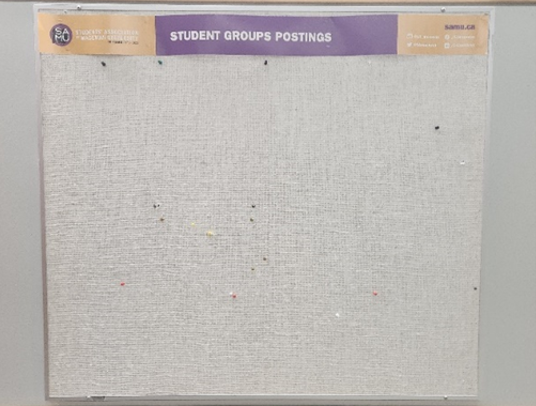
*Only hang posters on boards with a purple and yellow banner that says, “Student Groups Postings.” Posters on boards with other banners will be removed.
click here to follow this pdf chart if needed.
SOCIAL MEDIA AND WEBSITES
Groups are encouraged to create a website and establish a social media presence on platforms such as Instagram and Facebook to promote their activities, share upcoming events, and engage with students.
It is the group’s responsibility to keep this information current and up to date. Groups are also encouraged to tag @sa_macewan in their social media posts and stories, as SAMU may share or repost this content to help increase the group’s visibility.
Note: If a student group shares information about an event they aren’t involved in, they must include a disclaimer to clarify they aren’t affiliated with the event and are sharing it for informational or promotional purposes only.
Social Media Guidelines
- Ensure all posts follow the Student Groups Code of Conduct
- Fact-check ALL information
- Be aware of messages from hacked accounts
- Only promote and share group-related information.
- Do not use other people’s intellectual property unless given permission.
- Do not share personal information.
- Change passwords regularly. Don’t share passwords.
Student Groups Spotlight
Every month a new student group will be featured on SAMU’s website and social media networks, giving groups the opportunity to provide information about their activities, goals, and events.Submit the Student Groups Spotlight form on Student Groups Connect to become the next group featured!
Additional Advertising
ad opportunities at SAMU
SAMU TVs
- 10 business days’ notice.
- A total of five spots will be allocated in order of submission. Ads are displayed on SAMU screens for a week at a time (Monday to Friday).
- Required size: 1920 x 1080 (16:9 aspect ratio).
Information to include in the advertisement:
- Group name
- Event name
- Date and time of event
- Location of event
- Short description of the event
- Catchy imaging
- Contact information (club email, social media, etc.)
SAMU Newsletter
Groups that would like to have an event promoted in the SAMU Newsletter will need to follow these guidelines:
- 10 business days’ notice.
- A total of four spots will be allocated in order of submission. The newsletter is released bi-weekly on Mondays.
- Word count: 20 words max.
Information to include in the advertisement:
- Group name
- Event name
- Location of event
- Date and time of event
Please note: No student group advertisements will be posted in the newsletter in September or January.
ad opportunities at MAcewan residence
MacEwan Residence Newsletter, Discord, and TVs
MacEwan Residence has transitioned from physical poster boards to digital advertising. There are 26 HDTV 55” screens throughout residence to serve as their primary bulletin boards. Groups can submit a request through the Advertising Request Form.
Please note: MacEwan Residence Newsletters are published in September, January, and May.
MacEwan Residence Advertising Requirements
Please submit advertisements at least 10 business days in advance.
Advertisement specifications
- File type: JPEG (300 dpi)
- Maximum file size: 10 MB
- Dimensions: 1920 × 1080 px
- Orientation: Horizontal
Required advertisement content
- Group name
- Event name
- Event location
- Event date and time
ad opportunities at MacEwan International
MacEwan International Newsletter and Social Media
The MacEwan International Department supports international students throughout their university experience. This support includes sharing information about exciting events and opportunities on campus, such as those held by student groups.
Facebook/Instagram Guidelines:
Groups can advertise through MacEwan International’s social media by tagging them in their posts, If the post is relevant to international students, MacEwan International will share the post on their stories.
MacEwan International – Student Groups Spotlight
ad opportunities at the griff
The Griff is MacEwan University’s student publication. They cover the latest goings-on around the city center campus, Edmonton’s downtown core, and whatever else matters to MacEwan students. Groups will need to submit their requests through the Advertising Request Form and the Student Groups Department will review and forward the submission to the Griff.
The Griff Advertising Requirements
- Two groups/month
- Ad request to be submitted one month prior print
- Art to be submitted two weeks prior to print
- File type: CMYK pdfs
- Ad size: quarter page (4” x 5.125”)
- All fonts must be embedded or converted to outlines or CMYK jpegs 300 dpi at 100%
- Ads should be built to actual dimensions and require no printer marks
- All black text should be 100% black, not a mixture of CMYK colours
- Any spot colours must be converted to CMYK process colour
- All images, including support images embedded in art, must be 300 dpi and CMYK